
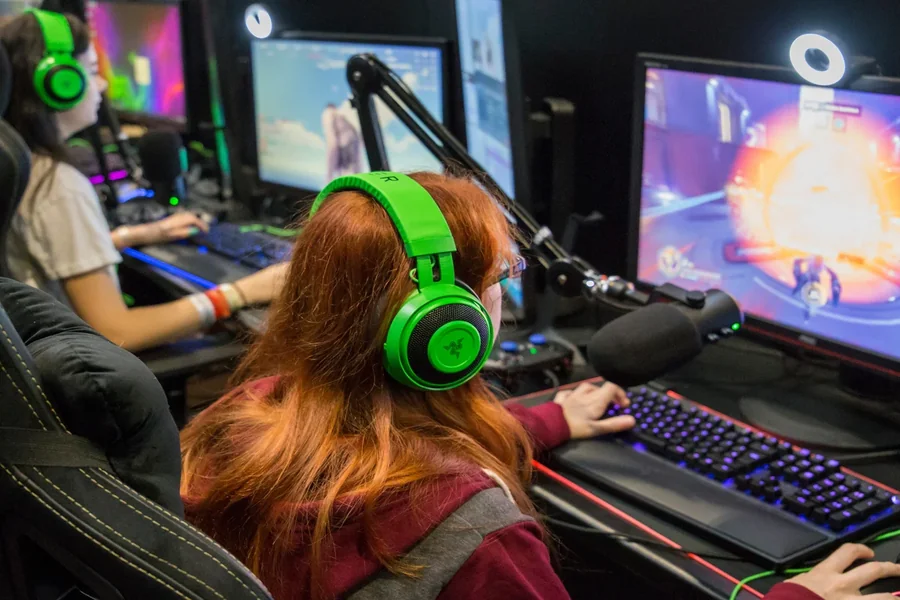
You have been watching your favorite gamers go live for years. Now you feel that pull to hit that Start Streaming button yourself. The idea is exciting but also a little scary. Where do you even begin? The good news is you do not need a fortune or a pro studio. Learning how to start streaming games is easier than you think. With the right steps and a bit of patience you can build your own little corner on the internet. This guide will walk you through every part of the journey. No confusing tech talk. Just real and simple advice to get you from zero to live.
What You Need Before You Start Streaming Games
Let us talk about the basic gear first. You do not need a thousand dollar setup to begin. Many new streamers start with what they already own. A decent gaming PC or a modern console like a PlayStation or Xbox is enough. If your computer can run a game without lag then it can likely stream too. The most important part is your internet connection. Streaming needs a steady upload speed. You want at least five megabits per second for a smooth stream. Anything higher is even better. You can test your speed for free on websites like Speedtest. Next comes your microphone. Viewers will forgive average video but bad audio drives them away fast. A simple USB mic like a Blue Snowball or a Samson Q2U works great. Do not buy a fancy XLR setup yet. Keep things cheap and simple. A webcam is optional but helpful. People like to see your reactions. A Logitech C920 is a classic starter camera. If you have none of that just use your phone as a camera. There are free apps for that. The key is to start without debt. Upgrade later when you know what you truly need.
Choosing Your Streaming Platform
You need a home for your stream. The biggest name is Twitch. It has millions of viewers everyday. Twitch is great for building a community. But it is also very crowded. Another strong choice is YouTube. YouTube makes it easy to save your streams as videos. Those videos can bring you views even when you are offline. Then there is Kick. Kick is newer and offers better money splits for creators. But its audience is still small. Facebook Gaming is also an option though it gets less attention now. So which platform should you pick? If you want the largest potential audience go with Twitch. If you already make YouTube videos then streaming there is smart. Many beginners start on Twitch because of its simple layout. You can always stream to multiple platforms at once using a tool like Restream. That helps you test where your viewers like to hang out. Do not stress over this choice too much. You can change platforms later. The important thing is to pick one and start. Analysis paralysis kills more streams than bad equipment ever will.
Setting Up Your Streaming Software
Now you need software to send your game and face to the internet. The industry standard is Open Broadcaster Software or OBS Studio. It is completely free and very powerful. OBS might look scary at first. But you only need a few settings to go live. Download OBS and run the auto configuration wizard. That wizard will test your system and pick good settings for you. Next you need to add your game screen. Click the plus button under Sources. Choose Game Capture. Then select your running game. That is it. Your game appears on the OBS canvas. To add your webcam click plus then Video Capture Device. Resize the camera box and put it in a corner. For your microphone click plus then Audio Input Capture. Choose your USB mic. Test your audio by talking. Look at the green bars in the mixer. They should move but not hit the red zone. Red means distortion. Now you have a basic scene. You can make more scenes for different games or a starting soon screen. Do not overcomplicate your first stream. A clean simple layout is better. Spend an hour playing with OBS before you go live. Record a test video using the Start Recording button. Watch that video to catch any audio or video problems.
Optimizing Your Audio and Video Quality
Good quality makes people stay. Let us start with video. Your stream resolution is a balance between looking nice and running smooth. For most beginners 720p at 30 frames per second is perfect. It uses less internet and computer power. If your PC is strong try 720p at 60fps or 1080p at 30fps. Do not jump to 1080p 60fps unless you have a dedicated streaming PC. Your bitrate controls how clear your stream looks. On Twitch the maximum bitrate is 6000 kilobits per second. Start at 3500 for 720p 30fps. On YouTube you can go higher. Now audio is where you win hearts. Lower your microphone gain so your voice is loud but not crackling. Use a noise filter in OBS. Add a Noise Suppression filter then a Compressor then a Limiter. This cleans up background hum and keeps your volume steady. You can find many short tutorial videos for these filters. Also play with game audio. Your game volume should be lower than your voice. A good rule is voice at 100% and game at 30 to 40 percent. Do not blast loud music unless that is your style. Every viewer has a different speaker setup so test your stream on a phone and on laptop speakers.
How to Engage Your Viewers and Grow Your Channel
Going live is not enough. You need to talk even when no one watches. This is the hardest skill to learn. Many new streamers sit in silence waiting for a chat message. That does not work. You must narrate your gameplay like you are making a video for thousands. Explain your decisions. React to what happens in the game. Tell a funny story from your day. This habit makes your stream entertaining from the first second. When someone does say hello in chat welcome them by name. Ask them a question like how their day is going or if they play this game too. That small connection turns a random viewer into a returning fan. Do not stare at your viewer count. Hide it if you must. Focus on making each minute fun. Another growth tip is to stream games with a small but active community. Playing the newest Call of Duty puts you at the bottom of a huge list. Play an indie game or an older classic where you can be on the first row. Also keep a consistent schedule. Say you stream every Tuesday and Thursday at 8 PM. This lets people find you easily. Share your stream on Twitter or TikTok with short clips. Clips are the best way to bring new eyes to your channel.
Common Beginner Mistakes to Avoid
Let me save you from some pain. The first mistake is overbuying gear. A $300 microphone does not make you a better streamer. Your personality does that. Start cheap and simple. The second mistake is ignoring your audio. Bad echo or low volume will make people leave instantly. Always test your sound before going live. The third mistake is streaming for too long. Four hour streams drain your energy. Your excitement drops after hour two. Shorter streams of two to three hours keep you fresh and fun. The fourth mistake is not networking. You cannot grow alone. Watch other streamers who play the same games. Make friends in their chats. Do not promote yourself just be a genuine person. Eventually those streamers might raid you or play with you. The fifth mistake is obsessing over numbers. Low viewer counts feel bad but every streamer started there. Celebrate one viewer like it is one hundred. The sixth mistake is forgetting to have fun. If you play a game you hate just because it is popular your audience will sense your frustration. Stream what you love. Your joy is contagious. Avoid these errors and your journey will be much smoother.
Final Thought
Learning how to start streaming games is really a lesson in consistency and patience. Your first stream will feel awkward. Your audio might buzz. Your game capture might fail. That is all normal. Every famous streamer you admire once had a stream with zero viewers and a bad mic. The difference is they kept going. They improved one small thing every week. So set a date for your first stream. Tell one friend to watch and give you feedback. Then hit that Start Streaming button. Do not wait for the perfect moment because that moment never comes. Your only job is to be yourself and have fun. The rest will follow slowly but surely. Good luck and welcome to the streaming family.
Frequently Asked Questions
How much money do I need to start streaming games?
You can start with zero dollars if you already have a computer or console. Use your built in headset mic and no webcam. Add a cheap USB mic later for around 40 dollars. Do not spend hundreds before your first stream.
Can I stream games from a laptop?
Yes many laptops can stream light games like Stardew Valley or Hades. For heavy games like Call of Duty you need a gaming laptop with a dedicated graphics card. Lower your stream settings to 720p and test with a recording first.
What is the best time to stream?
The best time is when you feel most energetic. Avoid early mornings on weekdays because most people work or study. Evenings between 8 PM and 11 PM work well. Also check your game’s category on Twitch. If you see low streamers but high viewers that is a good time slot.
Do I need a capture card for console streaming?
Yes to stream a PlayStation or Xbox from a PC you need a capture card. The Elgato HD60 S is a popular choice. But you can also stream directly from your console using the built in Twitch or YouTube apps. That method is free and easy.
How do I stop feeling nervous before going live?
Nerves are normal. Do a five minute test stream with no title. Just hit Start Streaming and talk to yourself. Delete the VOD after. Do this three times and your nerves will drop. Remember your first viewers are often kind people who remember being new.
How long until I get my first viewers?
It can take weeks or months. Some people get five viewers on day one. Others stream to zero for a month. The key is consistency. Keep improving your audio stream description and thumbnail. Share clips on social media. One good clip can bring your first real audience.
Should I become a Twitch affiliate right away?
Wait until you have a small loyal community. Affiliate puts ads on your stream which scares away new viewers. Enjoy being affiliate free for a while. You can always apply later when you have a steady twenty viewers.
